How to add Bates numbers to PDFs on a Mac
UpdatedShort answer
Preview, the Mac's built-in PDF app, has no Bates numbering. The free way is cpdf, an open-source command-line tool that stamps a prefix and a running number on every page of a PDF: run it once per file, starting each file where the last one ended, and keep the index yourself. A PDF editor with Bates numbering, or a Mac app made for it, numbers a whole folder at once and writes the index.
The free ways
Free: cpdf in Terminal, one PDF at a time
cpdf is free, open-source (AGPL) PDF software from Coherent Graphics. It isn't built in to macOS, and it writes a new file, so your original stays as it is.
- Install it with Homebrew (
brew install cpdf), or download it from the cpdf website. - In Terminal, go to the folder with the PDFs: type
cd(with a space), drag the folder onto the window and press Return. - Make a folder for the stamped copies and stamp the first file with the lines below: ABC is your prefix, 1 the first number and 6 the number of digits, in the bottom right corner.
- Count the first file’s pages (
cpdf -pages first.pdf), then stamp the next file with-batesset to the next number, and so on for each file. - Write each file's first and last number in a spreadsheet: that's your production index.
mkdir stamped
cpdf -add-text "ABC%Bates" -bates 1 -bates-pad-to 6 -bottomright 20 -font-size 10 first.pdf -o stamped/first.pdf
For a few pages: Preview's text box
- Open the PDF in Preview and click the Markup button to show the markup tools.
- Click the Text tool, type the number, and drag the box to the corner of the page.
- Repeat on every page, then choose File › Export as PDF to save a copy.
Fine for a handful of pages. The numbers are annotations, which some PDF readers can hide or move.
Where the free ways stop
- cpdf numbers one file at a time: carrying on across 40 files means 40 commands and adding up page counts by hand, and one slip shifts every number after it.
- Nothing writes the production index (file, first number, last number, pages) for you.
- Neither looks at the files first: a password-protected PDF, or a redaction box that was drawn but never applied, gets stamped as it is.
- Stamping changes the pages, so a digitally signed PDF's signature doesn't carry over to the stamped copy, whichever tool you use.
How Batesmark does it
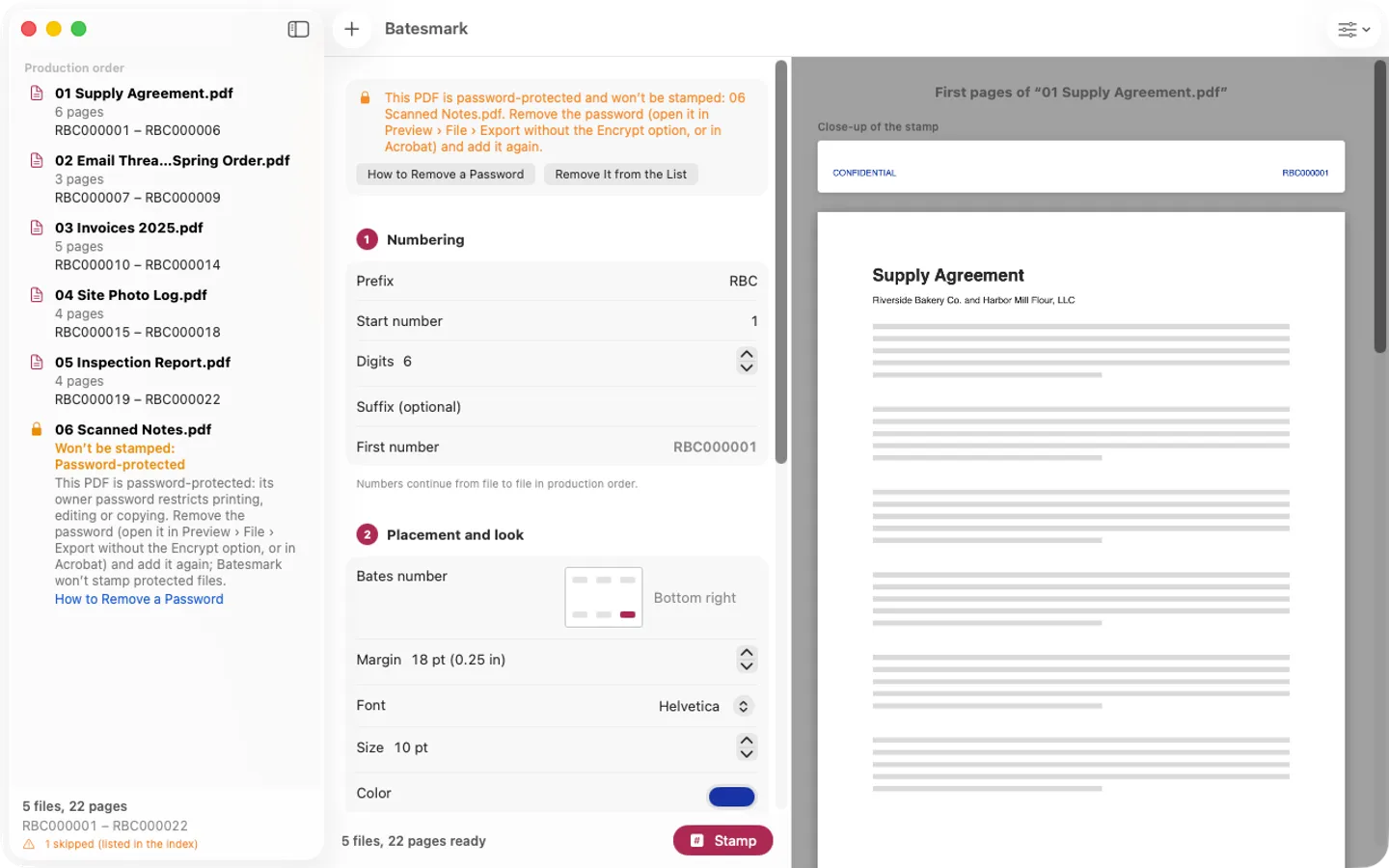
Batesmark is a Mac app we make: bates numbers, legends and a production index for folders of PDFs.
- Drop a folder of PDFs (subfolders included) and set the order: by name, oldest first, or drag them.
- Set the prefix, the number of digits, a suffix and the start number. Add a legend such as CONFIDENTIAL and Page X of Y, each in one of six positions; the live preview shows the first pages stamped exactly as they’ll be written.
- Batesmark flags what shouldn’t be stamped as it is: password-protected PDFs, redactions that are marked but not applied, and layers that are switched off.
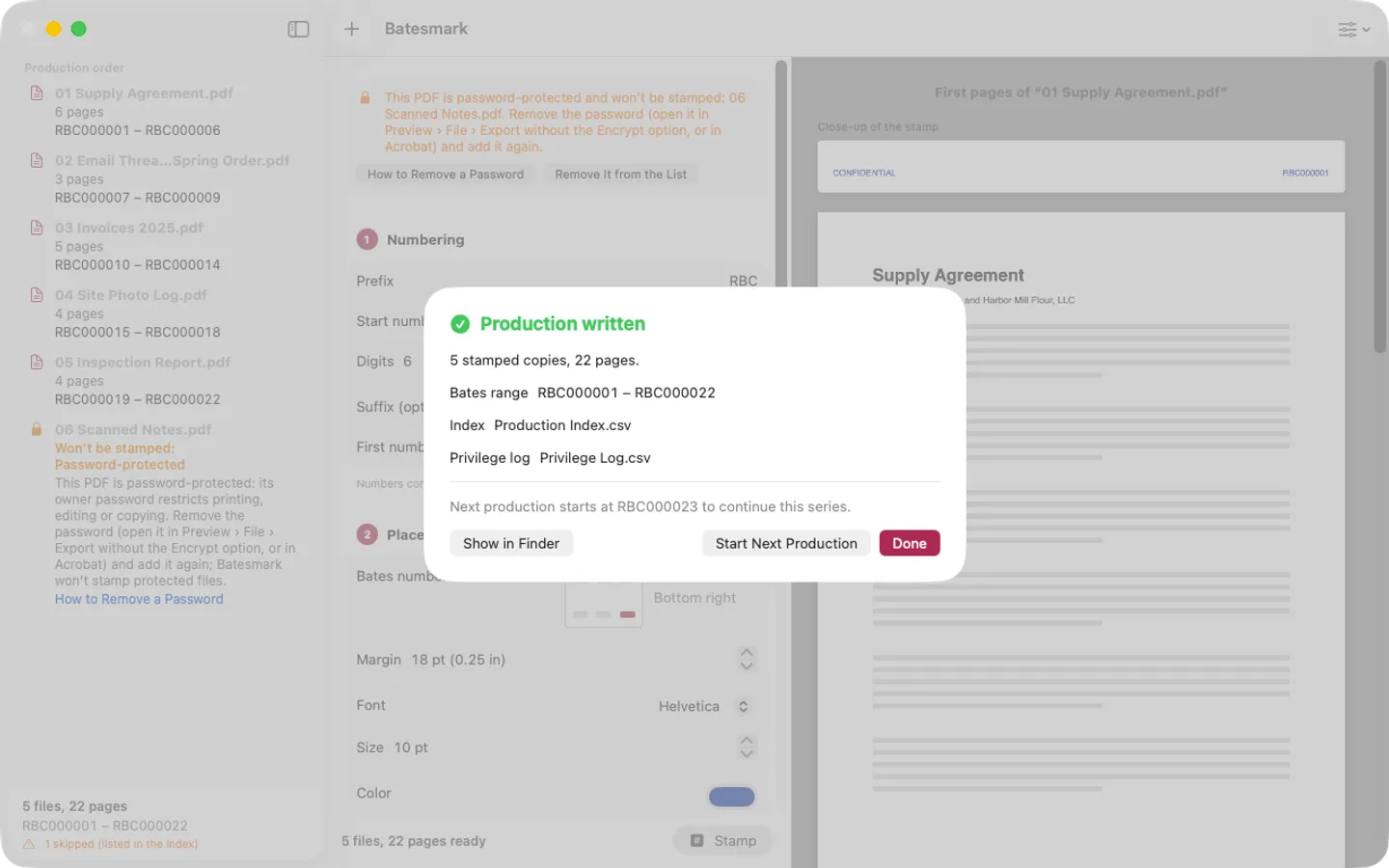
- Stamp: the numbers continue from file to file, the stamped copies go to the folder you choose (originals are only read), and a production index CSV lists each file’s Bates range. Without a key, every option works for the first 25 pages of a Bates series.
Free to use without a key: every stamp option, the live preview and the production index, for the first 25 pages of a Bates series.
$14.99 one-time for Pro, no subscription. Buy a license key to unlock Pro: productions of any size, numbering that continues from one production to the next, a privilege log template and saved presets.
macOS 14 Sonoma or later. Apple silicon and Intel. Boxes drawn into a page itself aren’t looked for, and a digitally signed PDF’s signature doesn’t carry over to a stamped copy.
Questions
Can Preview add Bates numbers?
No. Preview can put a text box on a page by hand, but it has no numbering that counts up across pages or files.
What does a Bates number look like?
A prefix and a zero-padded number, such as ABC000001, in the same place on every page, counting up across every document in the production. Many productions add a legend such as CONFIDENTIAL. Use the format the other side or the court asked for.
Does Batesmark change my original PDFs?
No. Originals are only read; stamped copies are written to the folder you choose, and nothing is overwritten.
Can the next production carry on from the last number?
Yes. The result shows the next start number, and Start Next Production carries on from it. Continuing a series past its first 25 pages needs a license key.
See also
How to combine PDFs into one indexed, bookmarked bundle on a Mac