How to track consignors and make settlement statements for an auction on a Mac
UpdatedShort answer
A spreadsheet works for a small sale: one row per lot with its consignor, hammer price and commission rate, then a total per consignor that becomes their settlement. It gets hard when terms differ (tiered rates, minimums, photo or passed-lot fees), when lots are renumbered, and when you need a catalog file for your bidding platform and a statement PDF for every consignor.
The free ways
Free: a lot sheet in Numbers or Excel
- Make a table with one row per lot: lot number, consignor number, title, low and high estimate, reserve, hammer price, commission rate and fees.
- Add a column for the commission (the hammer price times the rate, or the consignor's minimum if that's higher) and one for what's owed: the hammer price minus commission and fees.
- Keep a second table of consignors (number, name, address and contract terms), so the lot table only needs the number.
- After the sale, type or paste in the hammer prices, then filter or make a pivot table by consignor number to total each consignor's sold lots, commission and payout.
- Copy each consignor's rows into a statement document, add their unsold lots and any payments, and export it as a PDF.
Where the free ways stop
- One commission formula rarely fits everyone: tiered rates, flat fees, minimums per lot, buy-backs and passed-lot fees each need their own column or exception.
- Inserting lot 27A or renumbering a sale breaks lookups that have to be fixed by hand.
- A bidding platform's catalog upload has its own columns and limits, such as title length, that a spreadsheet won't check for you.
- Statements are copied and pasted one consignor at a time, which is where mistakes creep in.
How Hammerbook does it

Hammerbook is a Mac app we make: consignor books, lot catalogs and settlement statements for auction houses.
- Add consignors with their contract terms: percent, tiered or flat commission, minimums, photo, lotting and insurance fees, passed-lot and buy-back fees. The terms editor shows worked examples.
- Build the sale's lots with photos, estimates and reserves; insert lot 27A or renumber whenever you need to.
- Export the catalog for LiveAuctioneers or Proxibid, a generic CSV or your own column template; a check before export catches what the platform would refuse.
- Enter results by lot number or import the results CSV, then make a settlement statement PDF for every consignor, with sold and unsold lots, and record payments. Without a key every feature works for up to 50 lots.
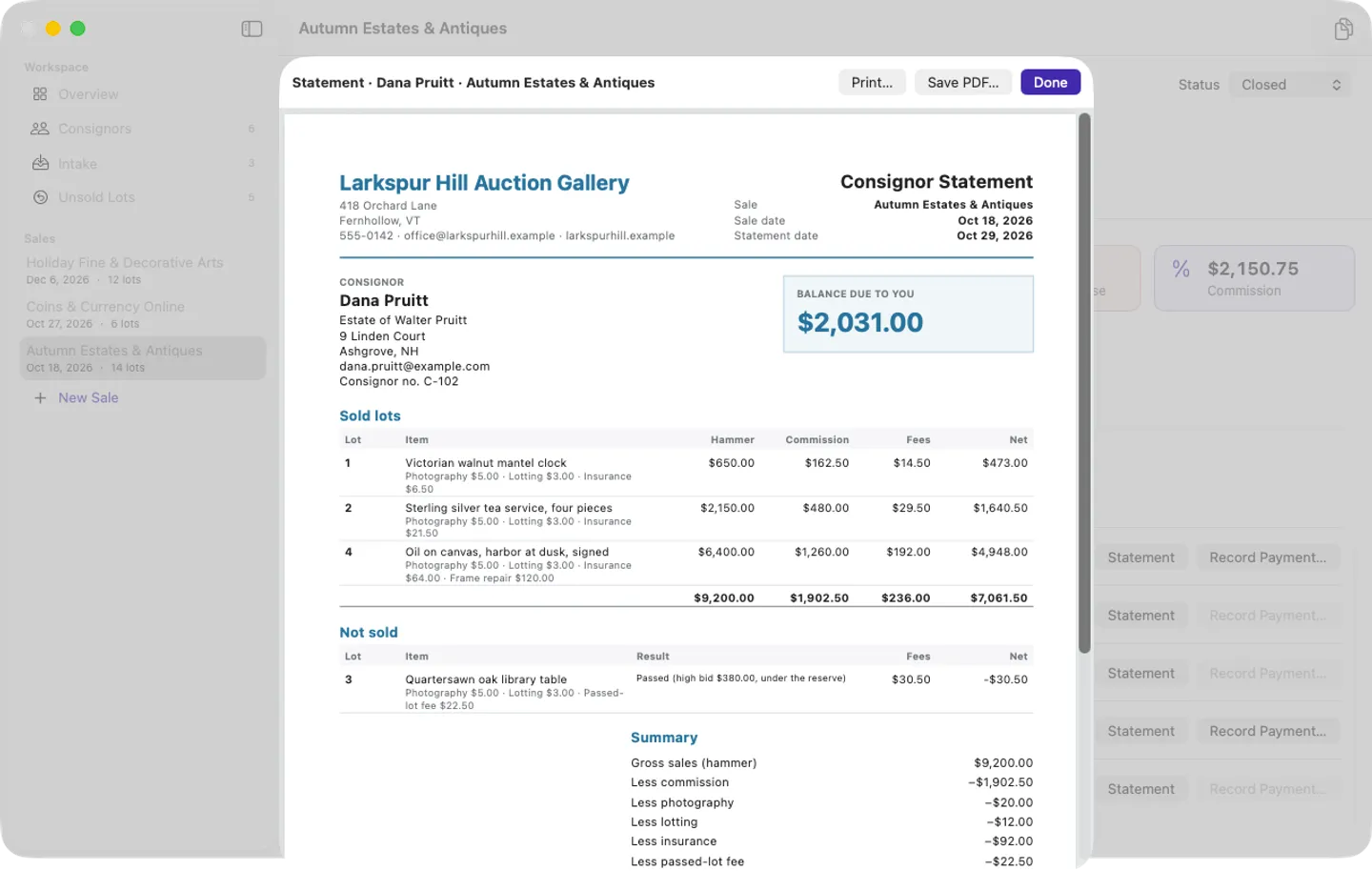
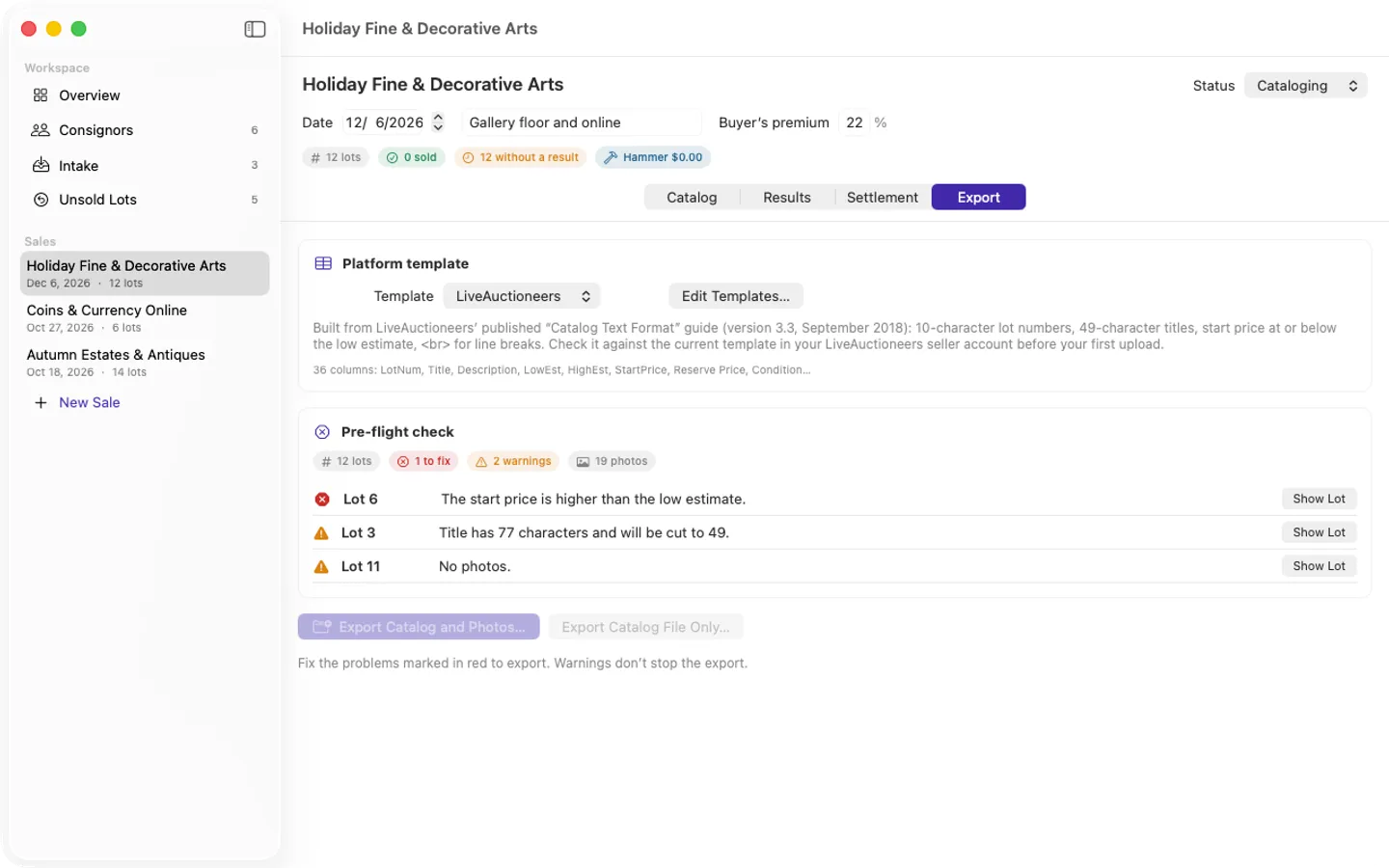
Free to use without a key: up to 50 lots with every feature, including statements and catalog exports.
$99.00 one-time for Pro, no subscription. Buy a license key to unlock Pro: no lot limit.
macOS 14 Sonoma or later. Apple silicon and Intel.
Questions
Does Hammerbook run the online bidding?
No. It keeps the consignor side of the sale and works alongside your bidding platform: it makes the catalog file you upload and reads the results back. It doesn’t invoice buyers or move money.
Is the buyer's premium on the consignor's statement?
No. The buyer's premium is kept with the sale and shown separately; it never appears on a consignor statement.
Can I bring in my existing spreadsheet?
Yes. Catalogs and consignor lists import from CSV, and results import from a CSV matched by lot number, with a preview first.
What happens to lots that don’t sell?
Relist them in another sale (the old statement keeps the pass), mark them returned, or disposed of.